 Toolvia
AI used car checker
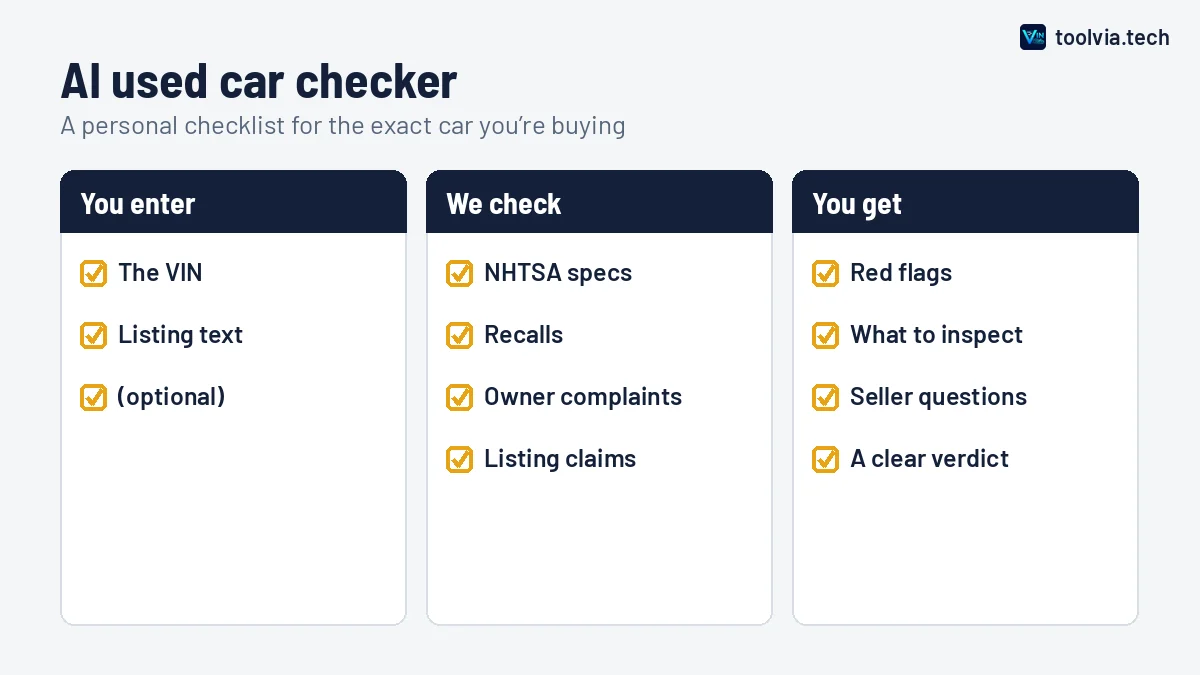
Enter the VIN of a car you’re thinking of buying and paste the seller’s ad. Our AI compares the listing with the official NHTSA record, checks recalls and owner complaints, and builds a personal inspection checklist with questions to ask the seller.
Free: up to 5 AI reports a day. Your text is sent to Google’s Gemini AI to write the report. Privacy.
How the AI used car checker works
Most used-car advice is general: check the tires, look for rust, take a test drive. That’s useful, but it doesn’t tell you what matters for the car you’re actually looking at. This tool does.
- We pull the official record. The VIN is decoded against NHTSA’s vehicle database, and we fetch every recall and owner complaint filed for that make, model and year.
- We read the listing. If you paste the ad, the AI picks out what the seller claims about the year, trim, engine, drivetrain and transmission.
- We compare and summarize. The AI checks the claims against the factory record, looks at which problems owners report most, and writes a short report in plain English.
What you get in the report
A verdict. One of three: the listing looks consistent with the VIN, there are things to ask about, or there are red flags. It’s a starting point, not a final judgment.
Mismatches. Anything the listing says that the VIN record contradicts. These are the most useful findings, because they’re concrete and easy to raise with the seller.
Recalls to ask about. Open recalls for the model and year, with a note to ask for proof of the repair. Recall repairs are free at a dealer, so there’s no reason to buy a car with one outstanding.
What to watch for. The problem areas owners report most often for that model year, turned into specific things to test, like how the transmission shifts when it’s cold.
An inspection checklist and seller questions. Five to eight checks for this vehicle, plus the questions worth asking before you drive across town.
A quick example
Say you find a listing for a sedan advertised as having a V6 and all-wheel drive. You paste the VIN and the ad. The VIN decodes as a four-cylinder with front-wheel drive, so the report flags both as mismatches. It also notes two open recalls for that model year and points out that owners have filed a cluster of complaints about the transmission. Your checklist then includes asking for recall receipts and paying close attention to the shifts on the test drive.
That’s the kind of thing that’s easy to miss when you’re excited about a car, and it takes less than a minute to find.
What the checker can’t do
We want you to trust this tool, so here’s where it stops. It can’t see accidents, odometer readings, previous owners, or title problems like salvage or flood brands. It can’t tell you the condition of the brakes or whether the engine has been looked after. And complaints are reports from owners, not confirmed defects.
For a car you’re serious about, use this checker first to rule out obvious problems, then get a vehicle history report and a proper inspection. If you’d like to do the basics yourself, our used car inspection checklist walks you through it, and these questions to ask the seller will save you wasted trips.
Tips for the best results
- Paste the whole listing, including the title. Details like “V6” or “4x4” are often only in the headline.
- Double-check the VIN against the car or a photo of the dashboard plate. A seller who won’t share the VIN is a warning sign in itself.
- Run the check again if the seller updates the ad. A changed listing gets a fresh report.
Frequently asked questions
Is the AI used car checker free?
Yes. You can run several AI reports a day for free, and repeat lookups of the same car and listing are free and instant. The VIN decoder and recall check stay free and unlimited.
What does the AI actually look at?
The official NHTSA record for the VIN (specs, recalls and owner complaints) and, if you paste it, the seller’s listing. It compares the two and turns the results into a checklist and a set of questions.
Can the AI tell me if the car was in an accident?
No. Accident, mileage and title history aren’t in public VIN data, and the AI won’t guess. If the car passes this first check, a paid history report and an inspection by an independent mechanic are the next steps.
Is it a replacement for a mechanic?
No. Think of it as homework before you see the car. It tells you where to look and what to ask, but only a hands-on inspection can tell you the condition of this particular vehicle.
What happens to the listing text I paste?
It’s sent with the VIN data to Google’s Gemini AI to write your report. Please don’t paste names, phone numbers or other personal details. See our privacy policy for more.
Why did the AI flag a mismatch?
Usually because the listing claims something the factory record doesn’t show, like a V6 when the VIN decodes as a four-cylinder. Sometimes it’s an honest mistake in the ad. Either way, ask the seller before you go.
Related guides
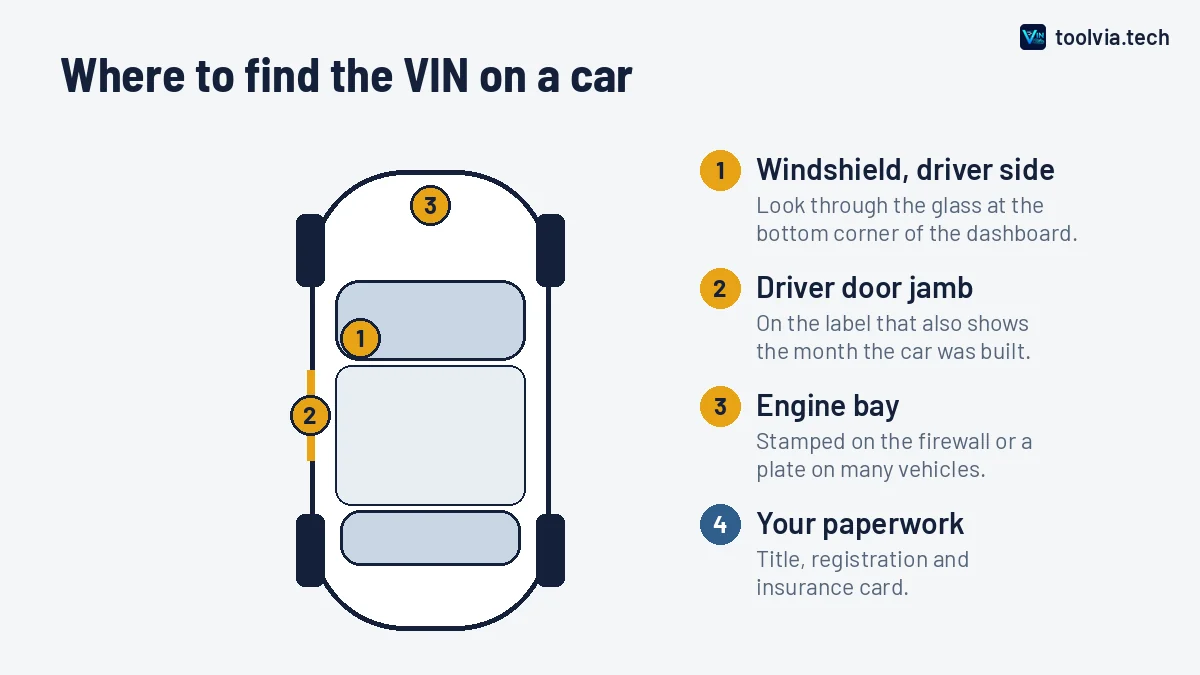
The quickest places to find a VIN on a car, truck, motorcycle, trailer or RV, plus which documents show it and what to…
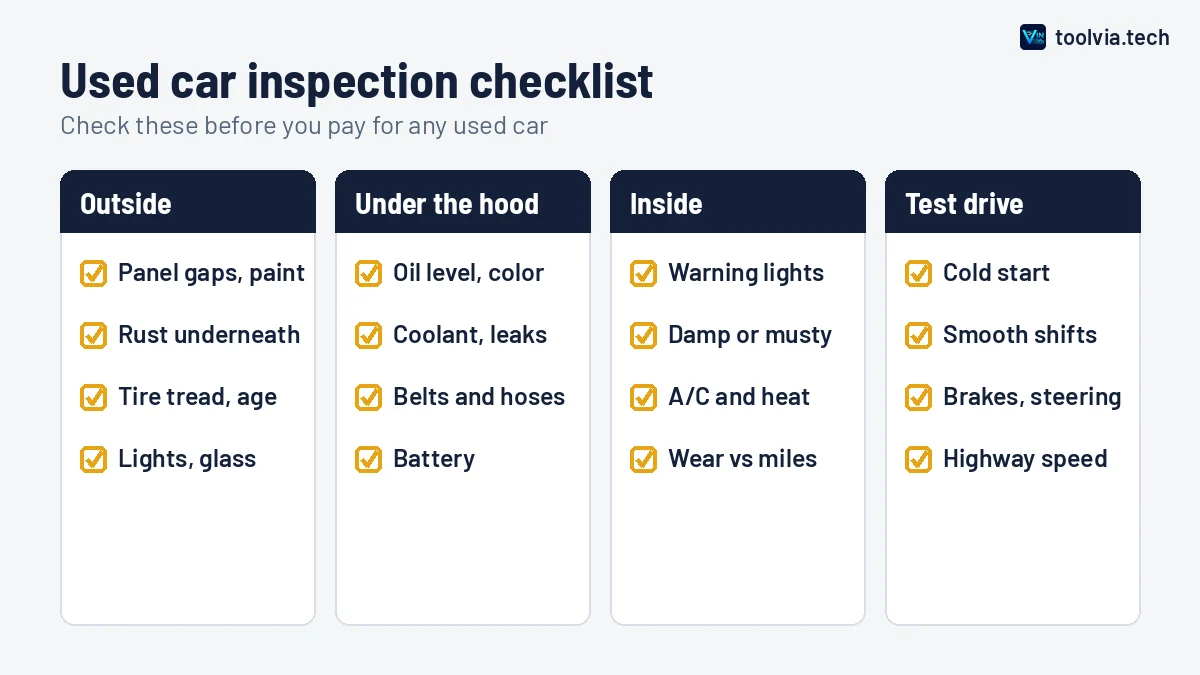
A practical used car inspection checklist covering paperwork, exterior, engine bay, interior and the test drive, plus…
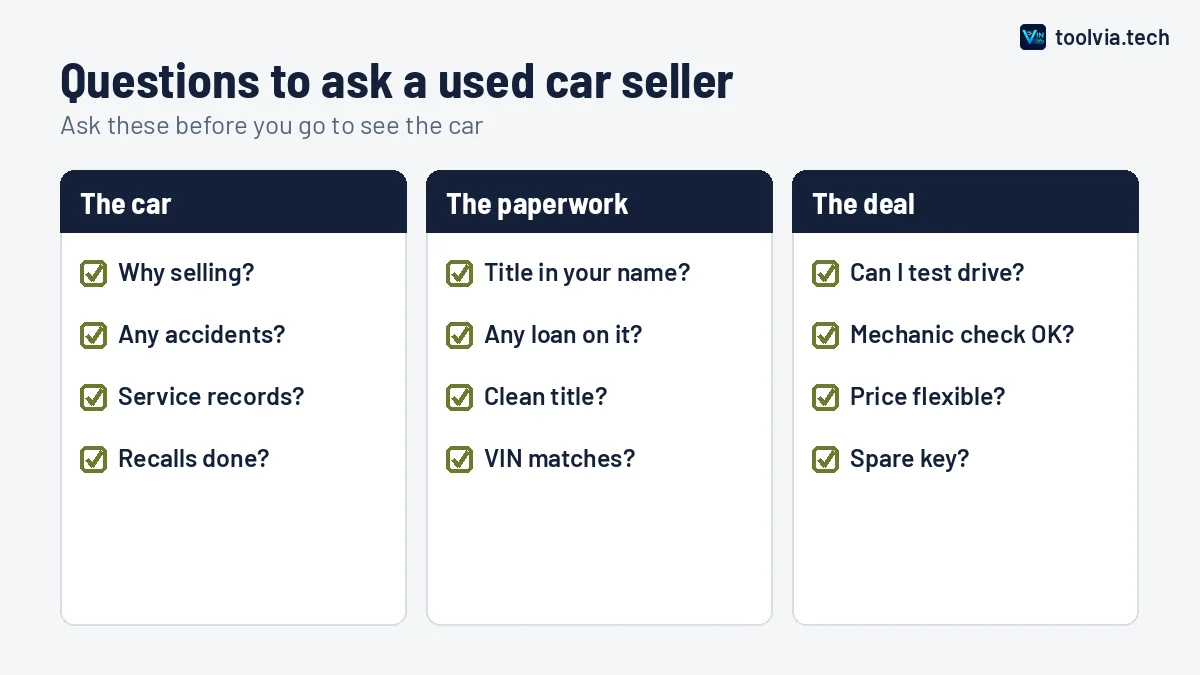
The questions to ask a private seller or dealer before you see a used car, why each one matters, and which answers…